Every shot, logged.

A private log, tracker and reminder for iPhone and iPad. No account, and your entries stay on your device.

Download on the App Store

Or scan it with your iPhone camera.

Try the log
  • Free to download
  • iOS 16.4 or later
  • No account

Log what you used.

Choose one of your labels, enter the amount, then set the date and time. Add a note if you want one.

Labels and units are yours: the app comes with none, and it supplies no compound names, amounts or schedules. Edit any entry in place later.

More about this
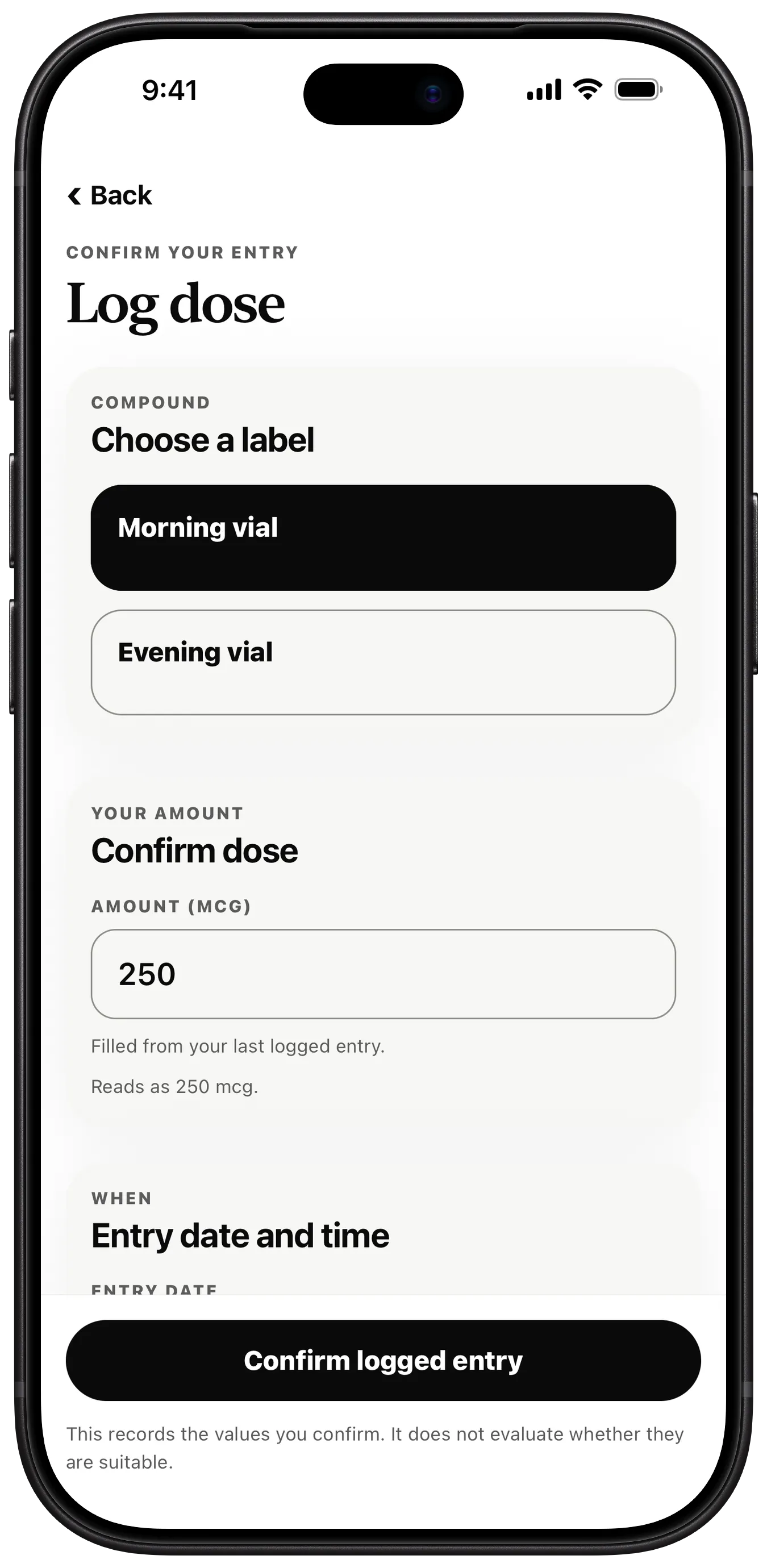
Vialtally Log dose screen with Morning vial and Evening vial labels, an amount field and the entry date and time.

Every vial, counted down.

Save a vial's amount, and its remaining balance goes down as you log entries against it.

Each vial can carry an expiry reminder date, and you can discard it when it is done.

More about this
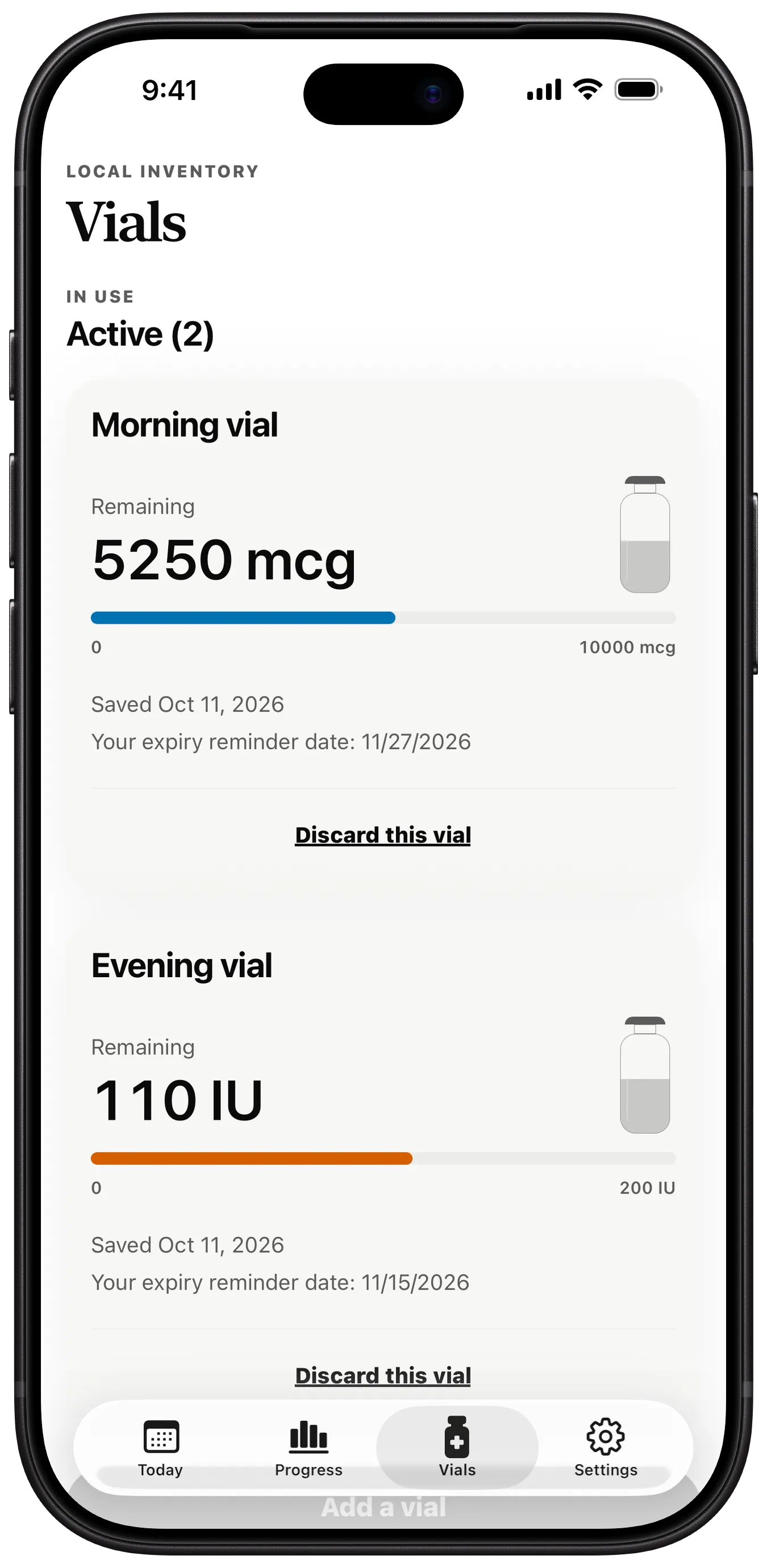
Vialtally Vials screen showing the remaining balance of Morning vial and Evening vial, with expiry reminder dates.
Example entries. No amount is recommended.

Reminders on your schedule.

Build a schedule from your own entries: weekly, every few days, on chosen weekdays, or in on and off cycles.

Reminders are scheduled on the device itself, and their Lock Screen text stays private unless you change it.

More about this
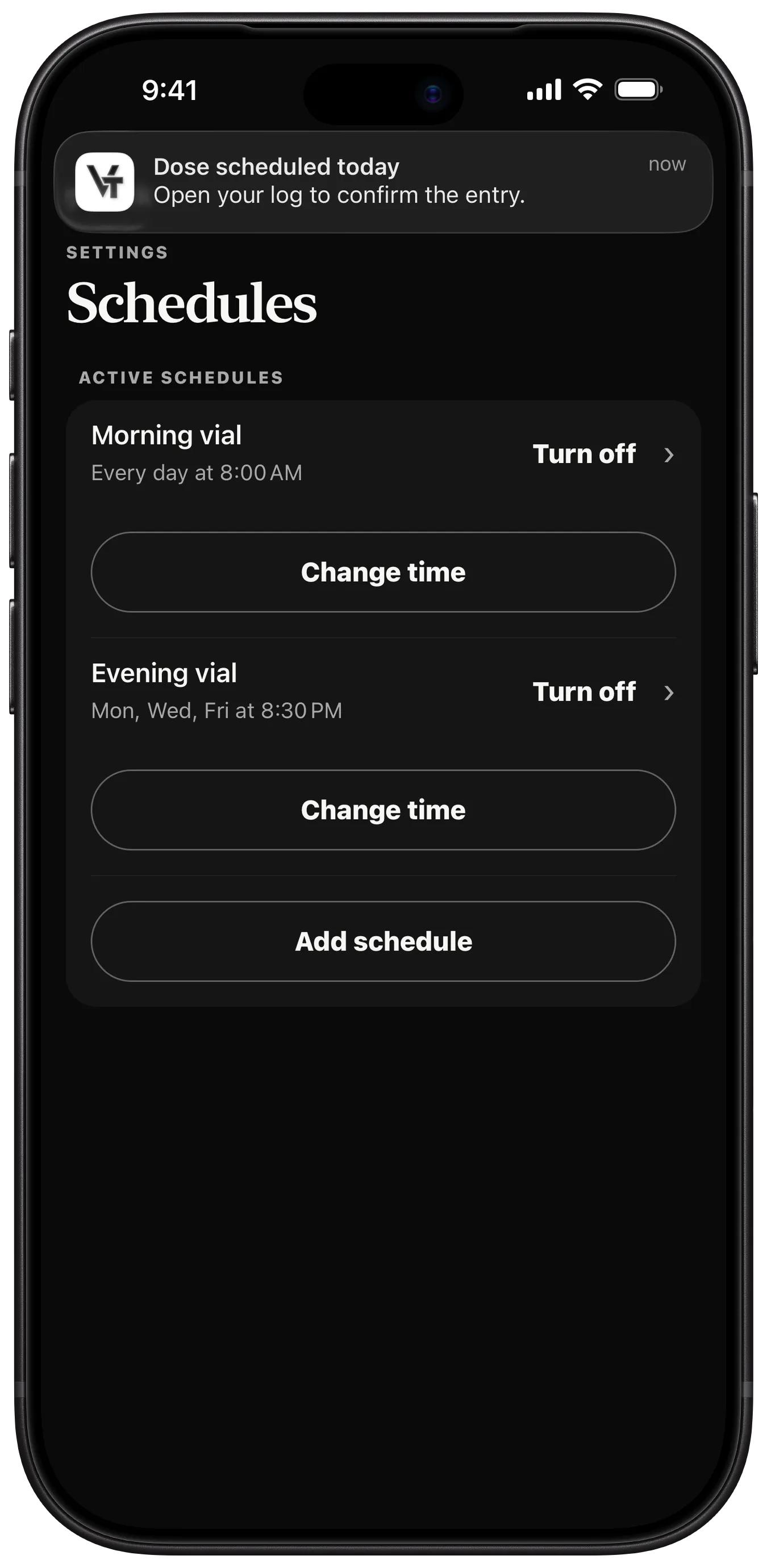
Vialtally Schedules screen with a Lock Screen banner reading Dose scheduled today.

Look back through it all.

Every entry on one timeline, by day, by week or all at once, and filtered by label.

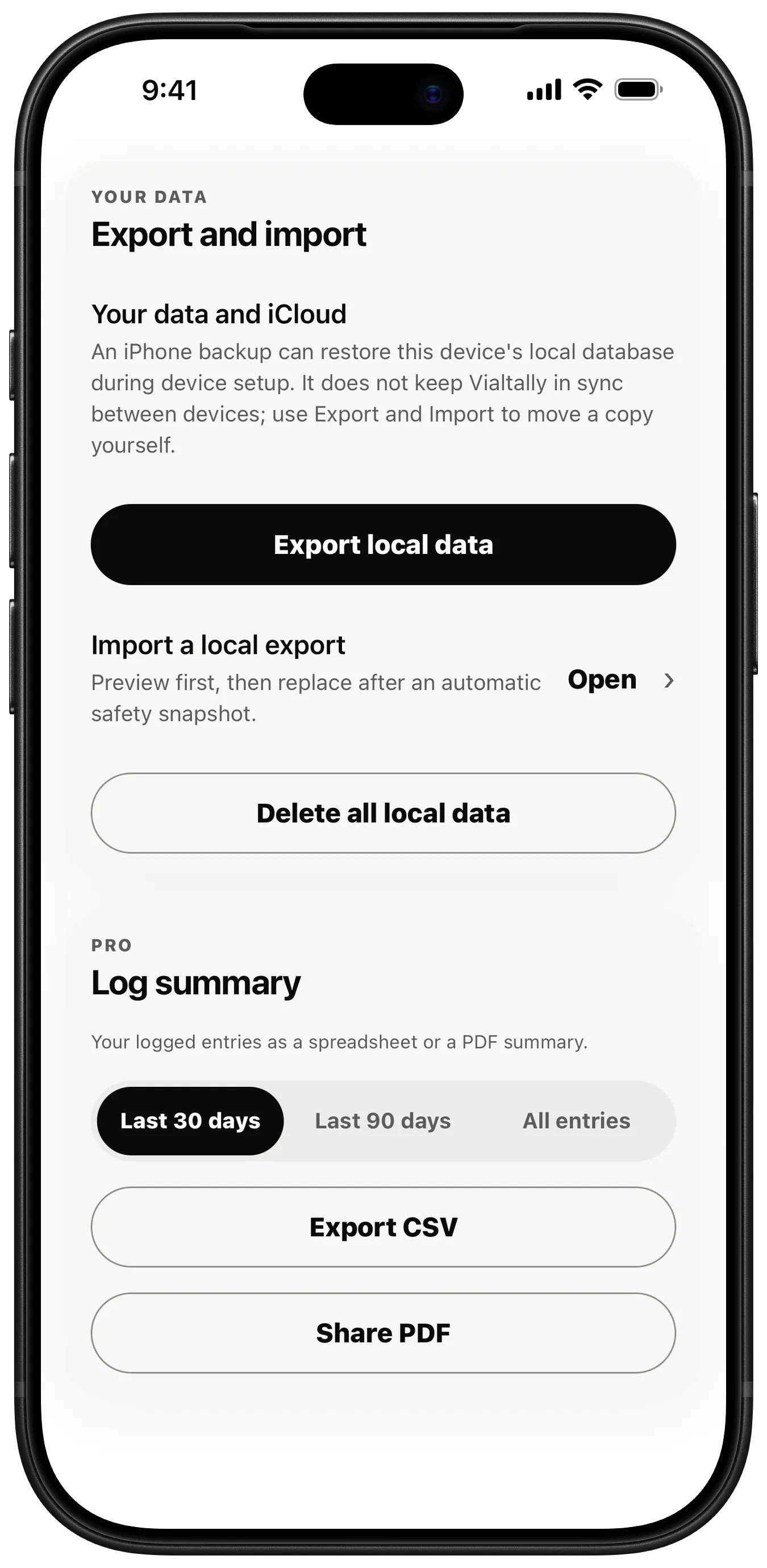
Export your data when you choose, and import it again on another iPhone or iPad.

More about this
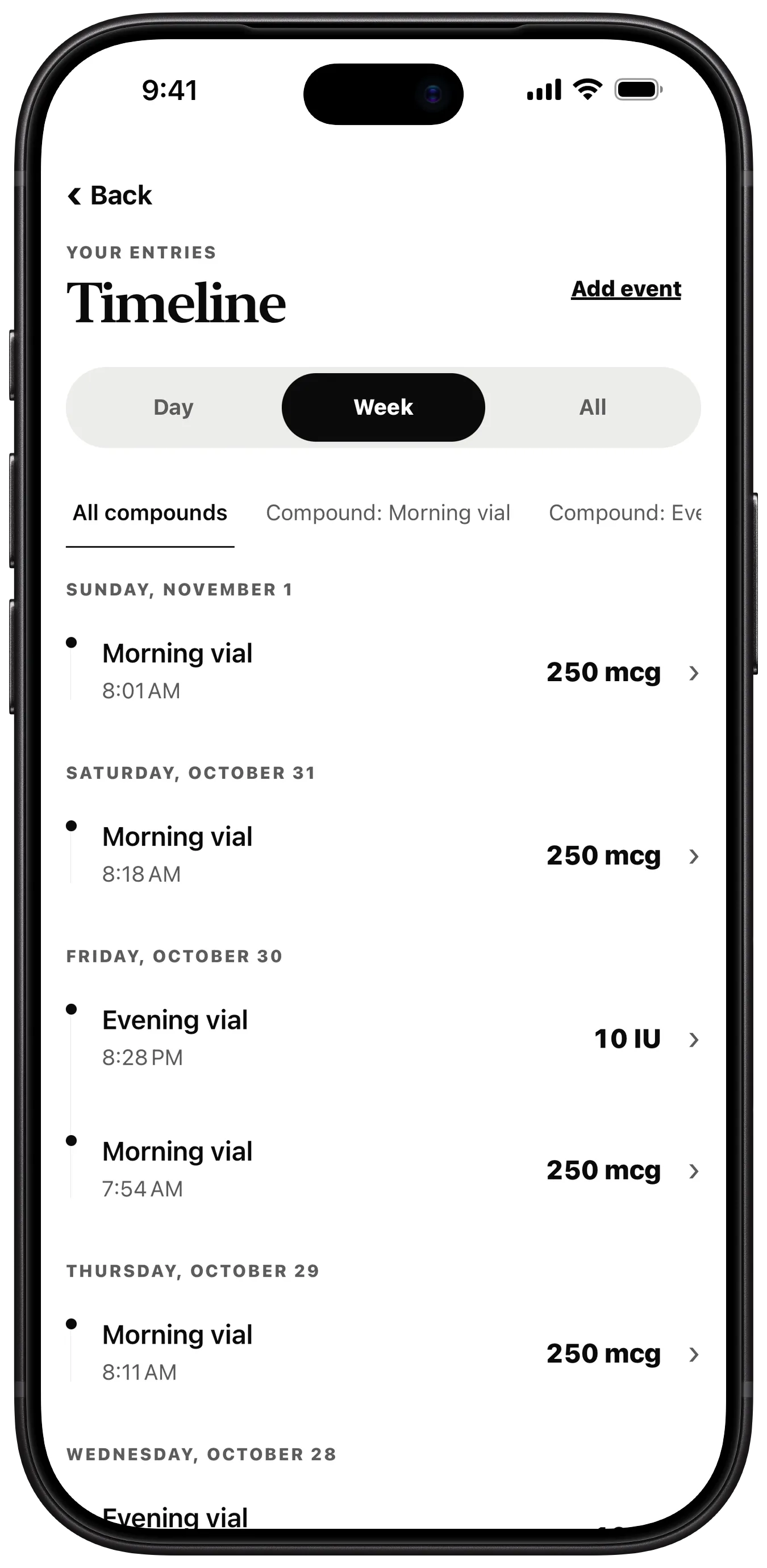
Vialtally Timeline screen listing entries by day, filterable by label.
Example entries. No amount is recommended.

Kept on your device.

Your compounds, doses, and vials never leave your device. Apple and RevenueCat process an anonymous app identifier, purchase history, and basic app/device metadata to provide and restore Pro.

Dose scheduled today

Open your log to confirm the entry.

now
A Vialtally reminder as it appears on the Lock Screen.

Private text is on by default, and stays on while Face ID lock is on. With it off, the reminder names your label: "Morning vial dose scheduled today".
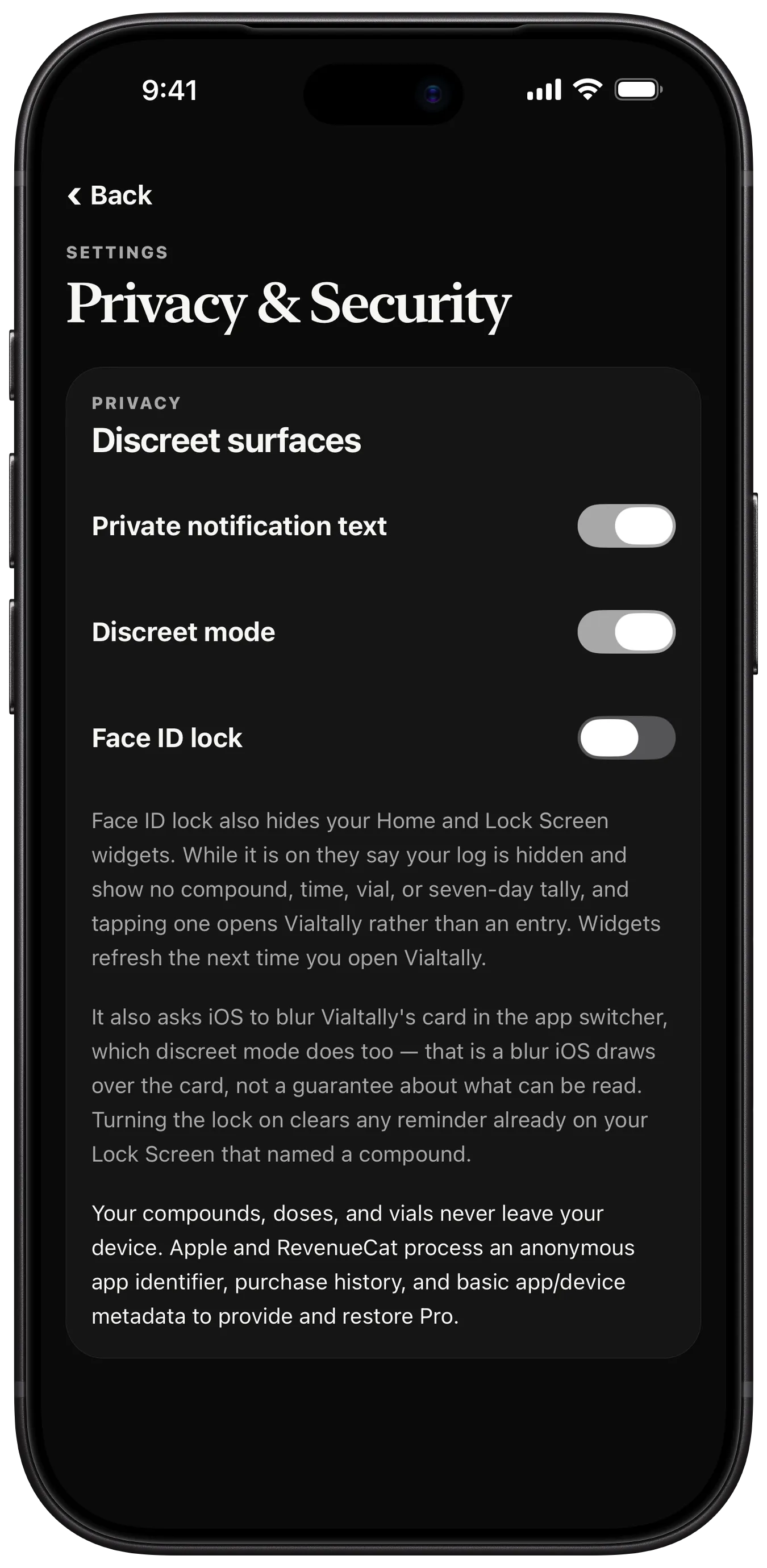
How privacy works

Try the log.

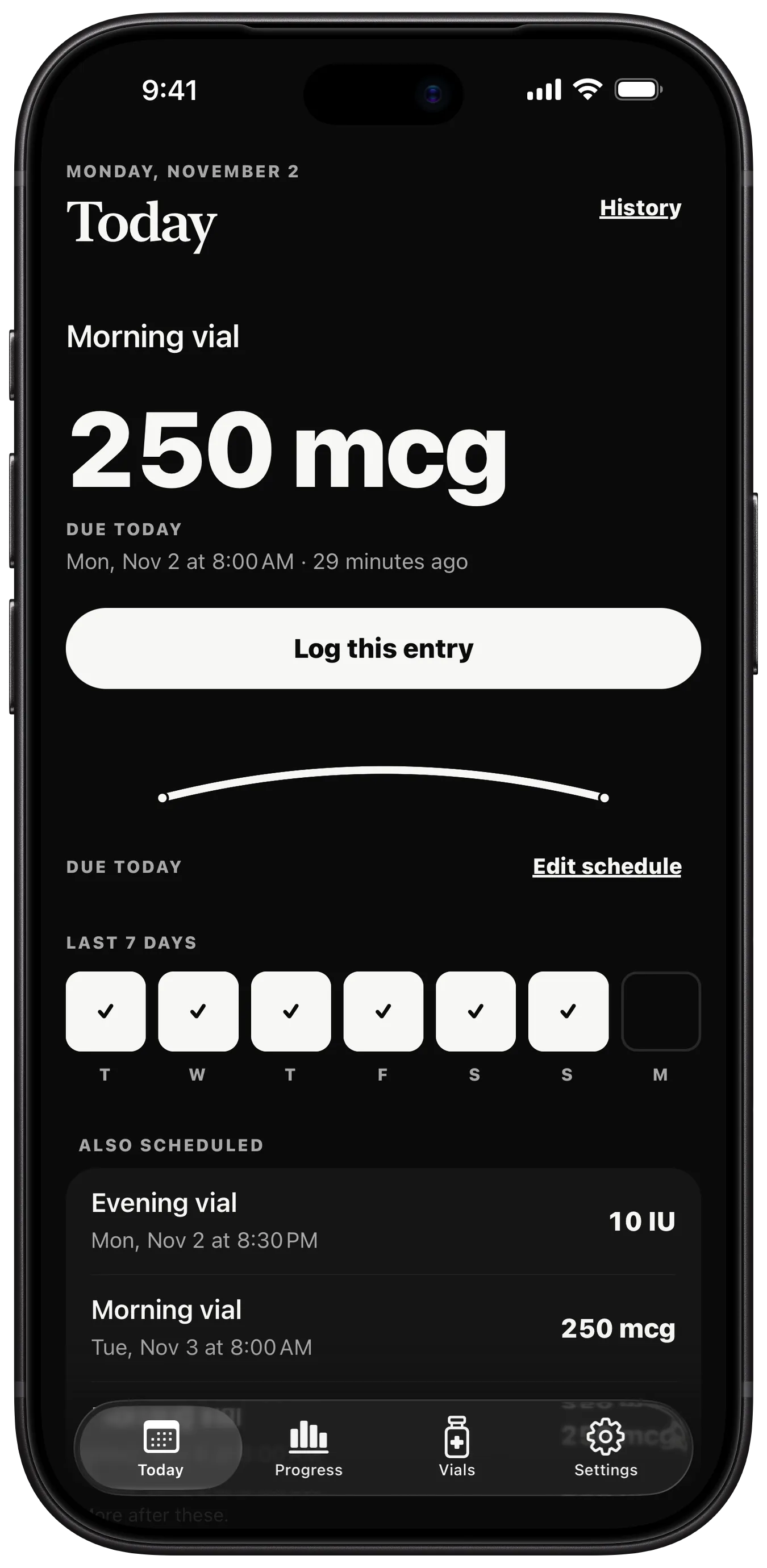
Tap Log this entry. The vial counts down, the entry joins the timeline, and the tally gains a stroke.

Due today

Morning vial

250 mcg

Every day at 8:00 am

0 entries logged here

Morning vial

Remaining

5,250 mcg

010,000 mcg

Timeline

  1. Morning vialSunday, 8:01 am250 mcg
  2. Morning vialSaturday, 8:18 am250 mcg
  3. Morning vialFriday, 7:54 am250 mcg

Example entries. No amount is recommended. Nothing you tap here is saved or sent anywhere.

Nine screens.

Real captures from the current version, in iPhone frames. Example entries. No amount is recommended.

Every feature, in detail
  1. Vialtally Today screen showing Morning vial due today, a Log this entry button, the last seven days and other scheduled entries.

    Today

    What's due, the last seven days and what else is scheduled.

  2. Vialtally Log dose screen with Morning vial and Evening vial labels, an amount field and the entry date and time.

    Log dose

    Choose a label, confirm the amount, set the time.

  3. Vialtally Vials screen showing the remaining balance of Morning vial and Evening vial, with expiry reminder dates.

    Vials

    Remaining balance and an expiry reminder date for each vial.

  4. Vialtally Schedules screen with a Lock Screen banner reading Dose scheduled today.

    Schedules

    Weekly, every few days, chosen weekdays, or on and off.

  5. Vialtally Timeline screen listing entries by day, filterable by label.

    Timeline

    Every entry by day, week or all, filtered by label.

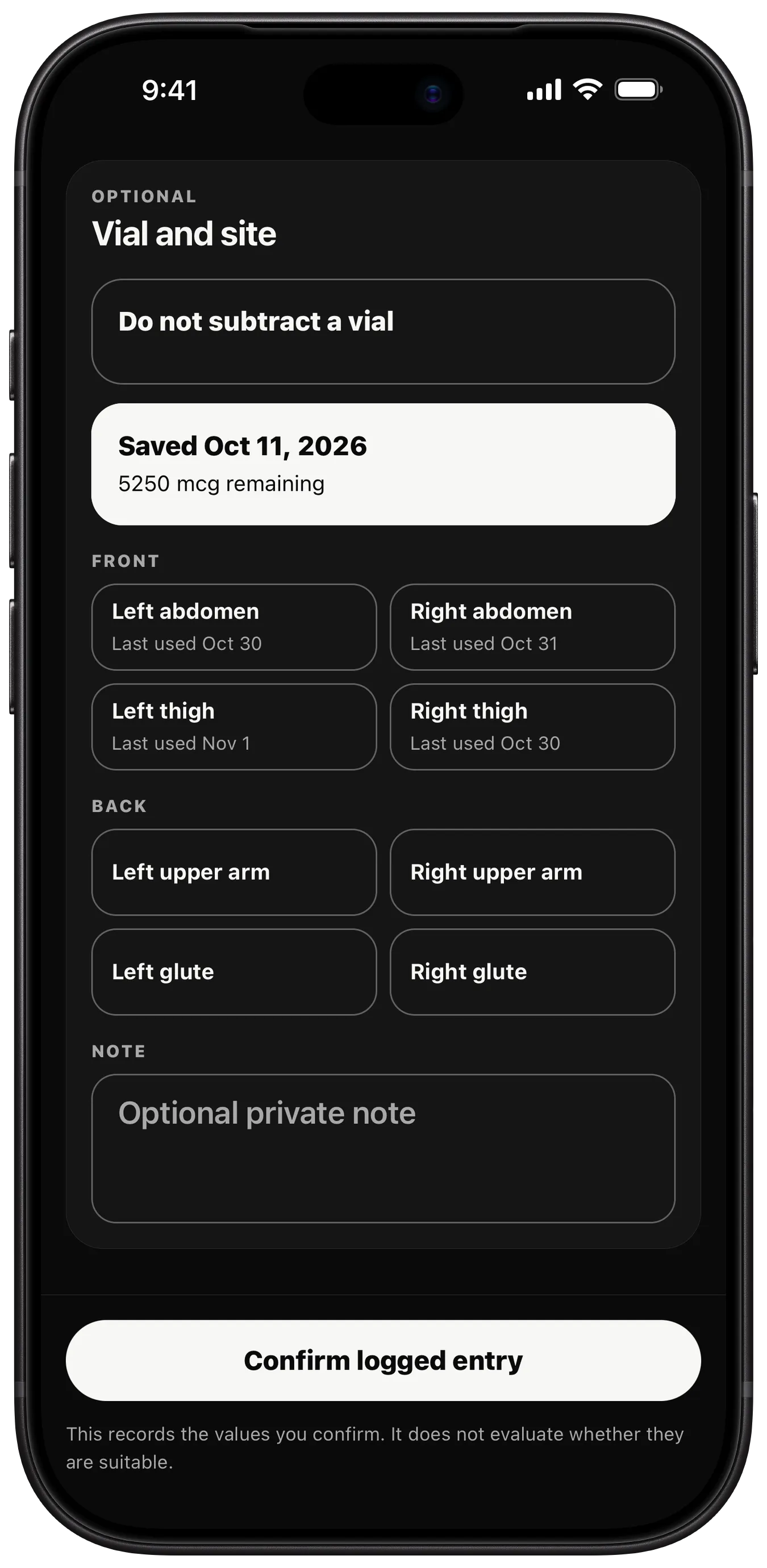
  6. Vialtally Vial and site screen listing front and back sites with the date each was last used.

    Vial and site

    Record the site and a private note with each entry.

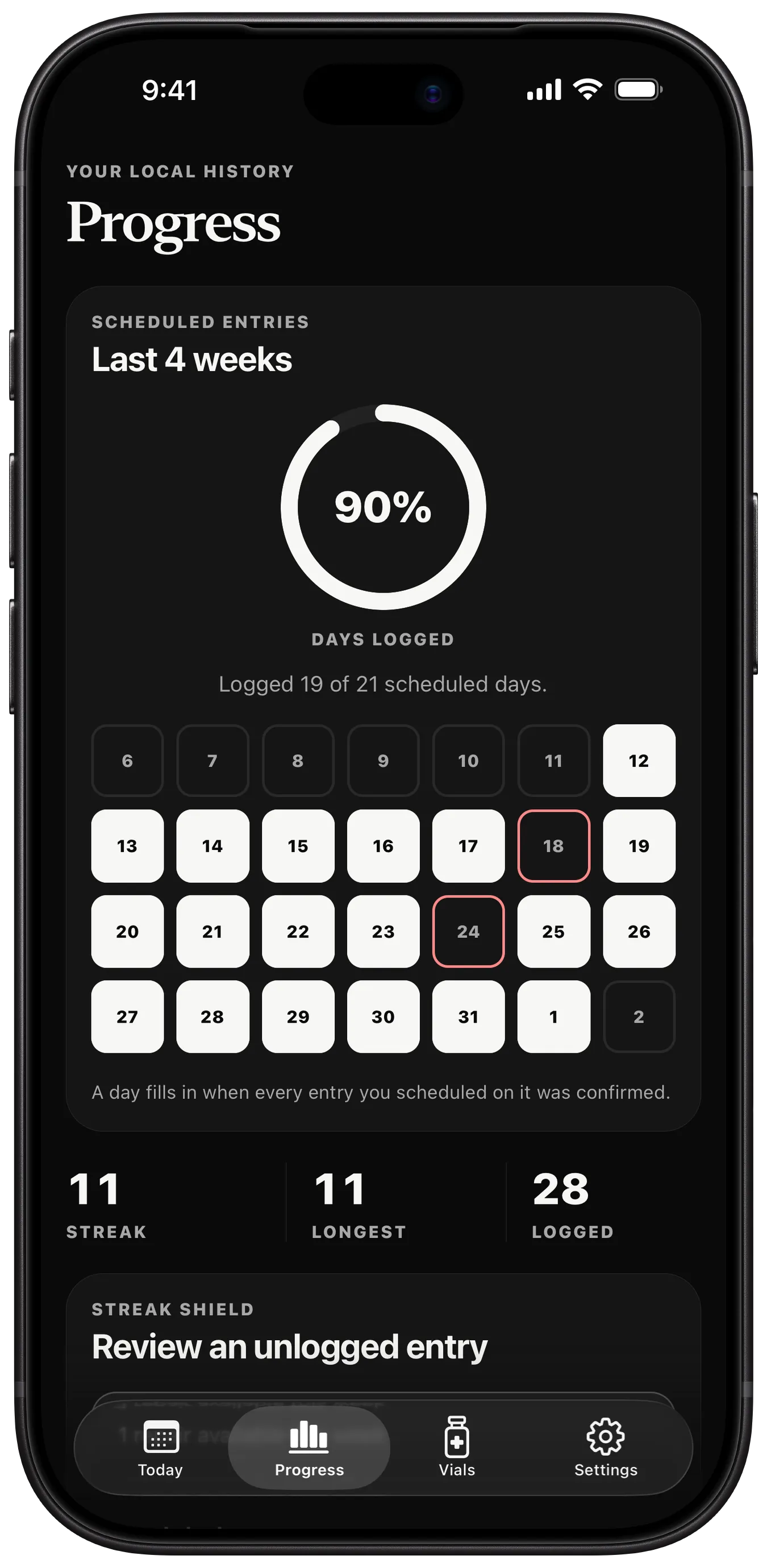
  7. Vialtally Progress screen showing days logged over the last four weeks and a calendar.

    Progress

    Scheduled entries you confirmed over four weeks. Pro.

  8. Vialtally Export and import screen with export, import and Log summary CSV and PDF options.

    Export and import

    Save a copy, bring it back, or share a Log summary.

  9. Vialtally Privacy and Security screen with Private notification text, Discreet mode and Face ID lock switches.

    Privacy & Security

    Private notification text, discreet mode and Face ID lock.

Vialtally Progress screen showing days logged over the last four weeks and a calendar.

Example entries. No amount is recommended.

What Pro adds

See how many scheduled entries you confirmed over the last four weeks, with a calendar of the days you logged.

Record the site with each entry, and see the date each one was last used before you choose.

Share your entries as a CSV spreadsheet or a PDF summary, for the last 30 or 90 days or for everything.

Pro also lifts the two-compound limit and adds Home and Lock Screen widgets.

Before you download.

  • iPhone and iPad, iOS 16.4 or later
  • Free to download, with optional Pro
  • No account to create
  • Support: josh@kovus.dev
All questions
Does Vialtally tell me what to use, or how much?

The app supplies no compound names, amounts or schedules. It does not recommend what to use and does not sell or help you source any substance.

When you log an entry, it records the values you confirm. It does not evaluate whether they are suitable.

Do I need an account?

No. There is no account system and no Kovus server for your log. Your records are stored in a database on the device itself.

What leaves my phone?

Your compounds, doses, and vials never leave your device. Apple and RevenueCat process an anonymous app identifier, purchase history, and basic app/device metadata to provide and restore Pro.

The app includes no analytics, advertising, session replay or remote crash-reporting SDK.

Can I move my log to a new iPhone or iPad?

Each device keeps its own log and nothing syncs between them. In Vialtally Settings, use Export local data to save a copy, then Import a local export on the other device. Import shows a preview first and saves a safety snapshot before it replaces anything.

An iPhone or iPad backup can also restore this device's local database during device setup.

What's free, and what does Pro add?

Core tracking works without a purchase: up to two tracked compounds, logging and editing entries, schedules, local reminders, full history and data export. Pro adds unlimited tracked compounds, progress analytics, site history, widgets and Log summary reports (CSV and PDF).